
Trading Windows
Limit a subscription to trading at certain times on certain days, for example only the first two hours of the session.
On this page
How they work
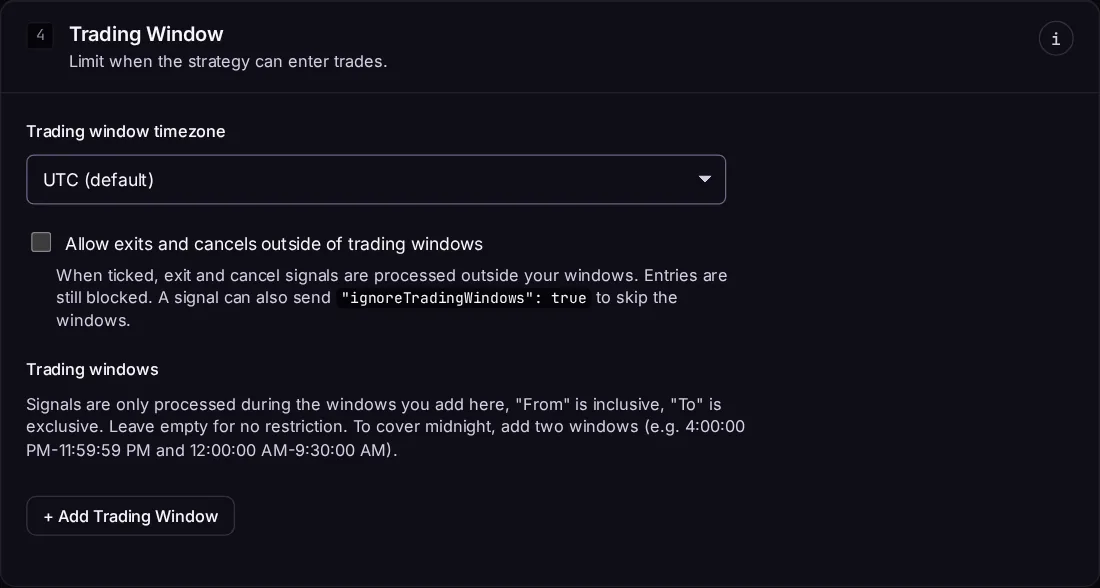
In the subscription's Trading Window section, add one or more windows. Each window has the days it applies to and a from and to time.
- A signal is traded if the time falls in any window.
- From is included, to is not: a 9:30–11:30 window trades a signal at 9:30:00 but not at 11:30:00.
- With no windows, the subscription trades at any time.
- Times are in the Trading window timezone you choose. If it's left blank, they're in UTC, so pick your timezone.
Outside every window, the signal is ignored on this subscription and its page shows Outside trading window.
Windows across midnight
A window can't cross midnight. To trade 18:00–02:00, add two windows: 18:00–23:59 on the days it starts, and 00:00–02:00 on the following days.
Letting exits through
Turn on Allow exits and cancels outside of trading windows so a position opened inside a window can still be closed after it ends. With it on, outside your windows:
exitandcancelsignals are sent;- a signal that closes a position and would then open the other side closes the position only. The entry is dropped, with a note on the signal.
Ignoring the windows for one signal
Send "ignoreTradingWindows": true to trade a signal whatever the windows say:
{
    "ticker": "SPY",
    "action": "exit",
    "ignoreTradingWindows": true
}
Trading windows vs. market hours
Trading windows are your own rule. Market hours are the exchange's. A signal inside your window but while the market is closed is queued for the open. A signal outside your window is ignored, not queued.
Take profit and stop loss
Take profit and stop loss orders rest at the broker, so they fill outside your windows too.
↑ ↓ to move · Enter to open · Esc to close