
Broker Connections
A broker connection is one of your broker accounts, live or paper, linked to EZPZ Trader so orders can be placed on it.
On this page
What a connection can do
When you connect an account, EZPZ Trader can read your balances, positions, open orders and order history, and place and cancel orders. It cannot move money in or out of your account, and it never sees your banking details.
Connect an account
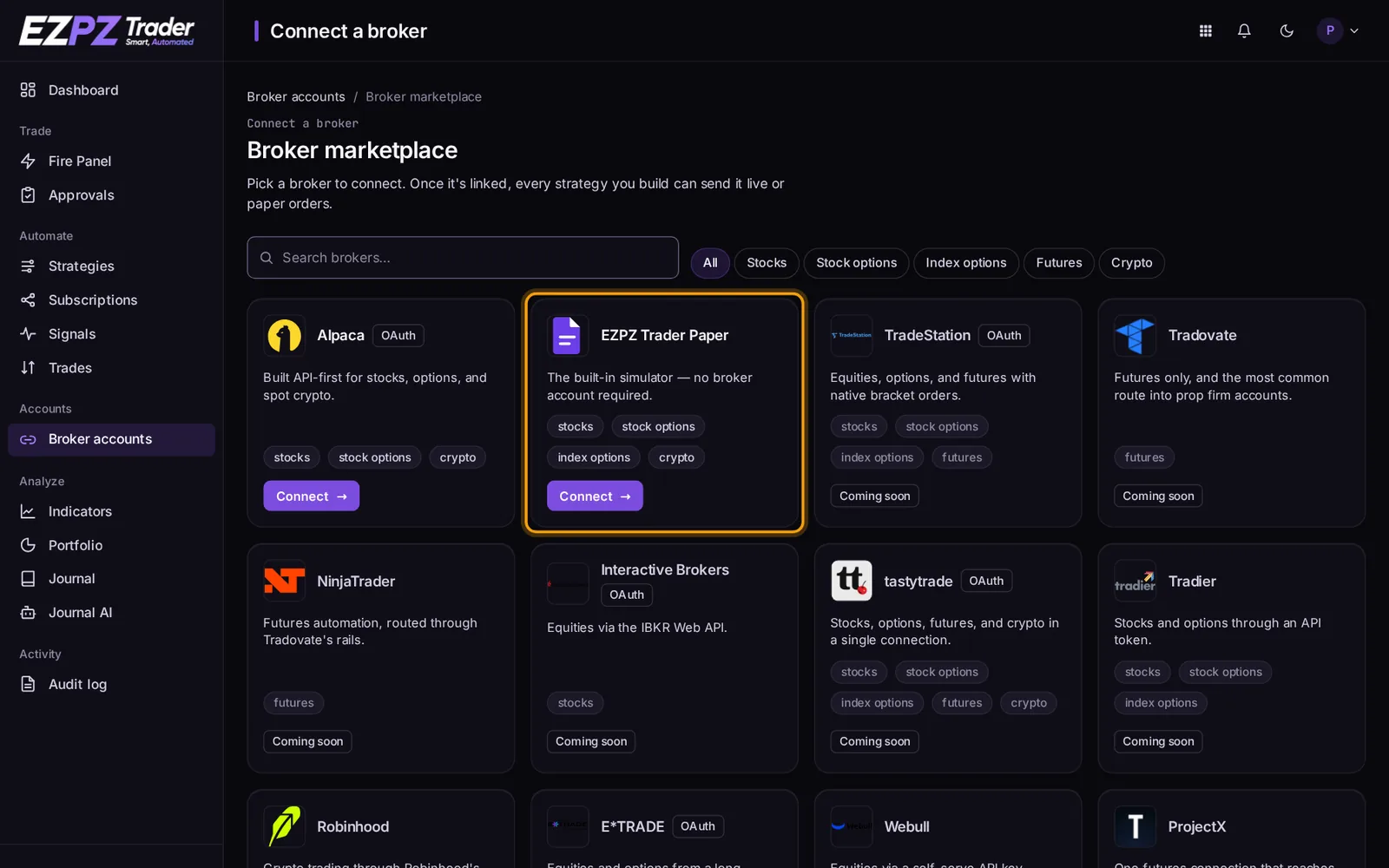
- Open Brokers in the dashboard and choose Connect broker.
- Pick the broker. Each broker connects one of two ways:
- Sign in with the broker (OAuth): you're sent to the broker's site, you approve EZPZ Trader, and you're sent back.
- API key: you create an API key and secret in the broker's settings and paste them in.
- Choose whether it's a live or paper account, where the broker offers both.
The same live broker account can only be connected once.
EZPZ Trader Paper
You can also connect EZPZ Trader Paper, a built-in paper broker that needs no broker account: choose it on the Brokers page and it's ready at once. It's the quickest way to test a strategy. See Paper Trading.
The account page
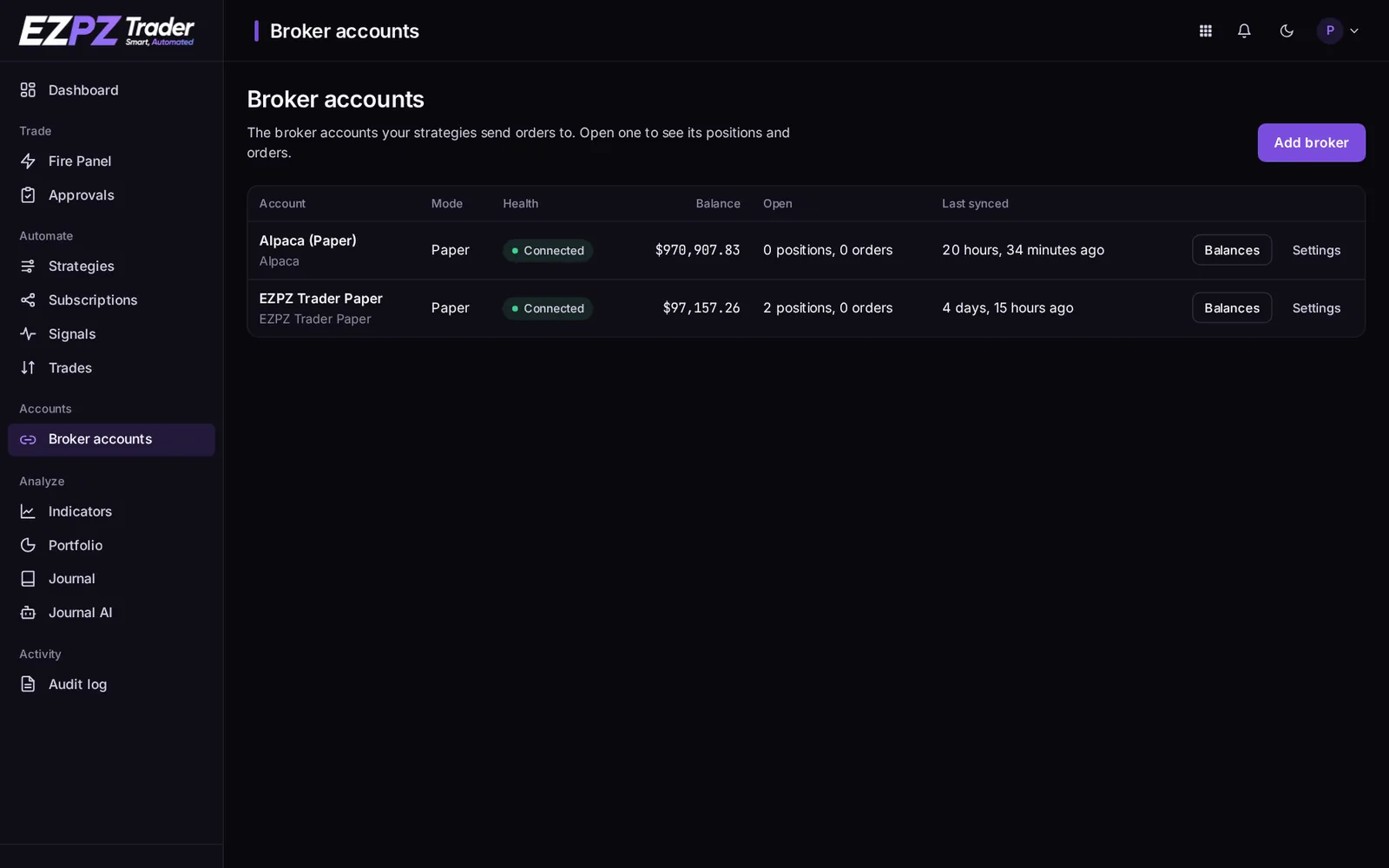
Open an account from Broker accounts to see it as the broker reports it:
- Balances: cash, buying power, portfolio value, and when it was last synced.
- Open positions, each with an Exit button that closes it with a Market order, after you confirm.
- Pending orders: orders resting at the broker, such as an unfilled limit or stop. Each has a Cancel button. A cancel the broker hasn't confirmed yet shows as Canceling….
- Closed orders, and the strategy subscriptions that trade this account.
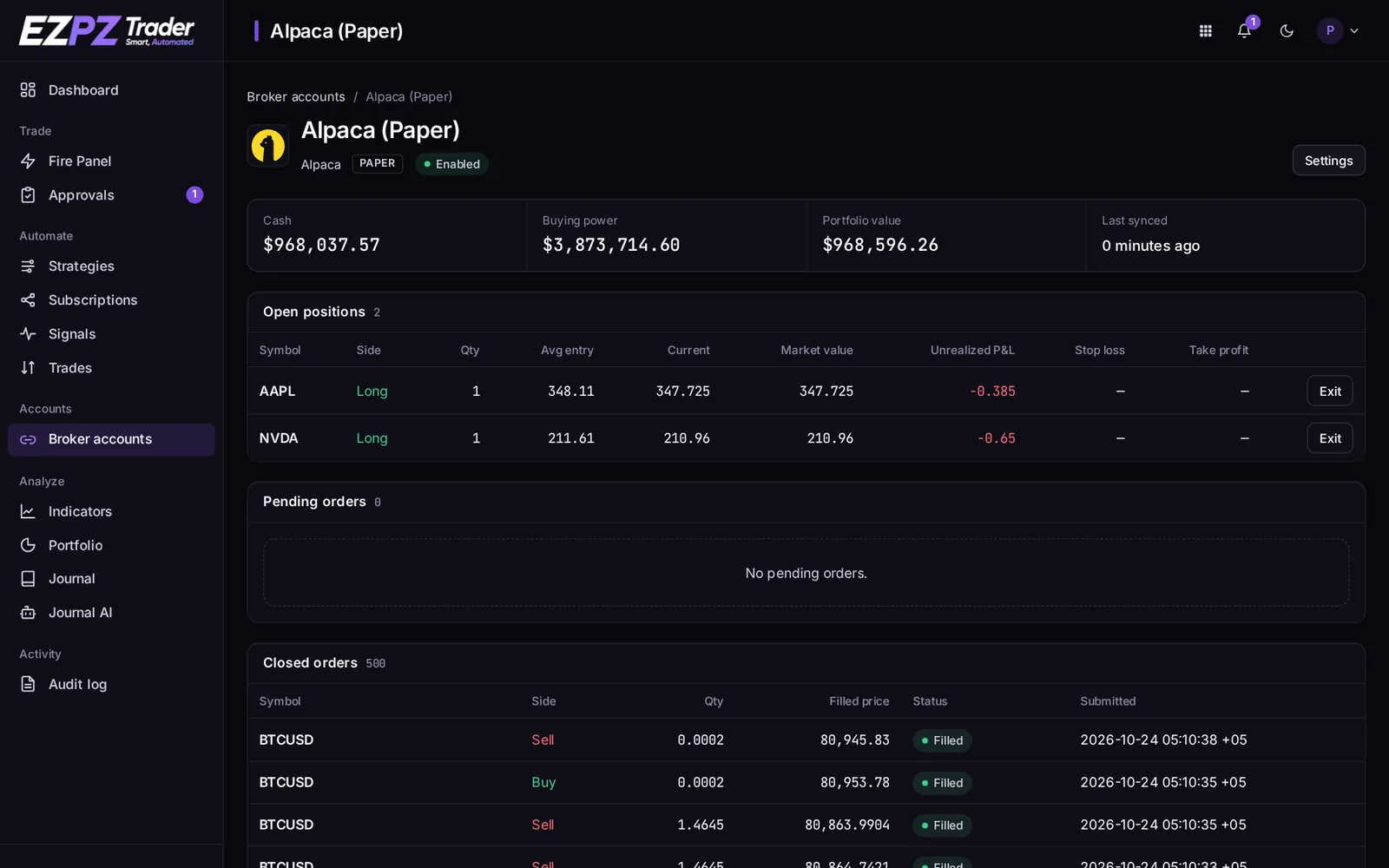
EZPZ Trader Paper has no pending orders: its orders fill at once.
Account settings and risk limits
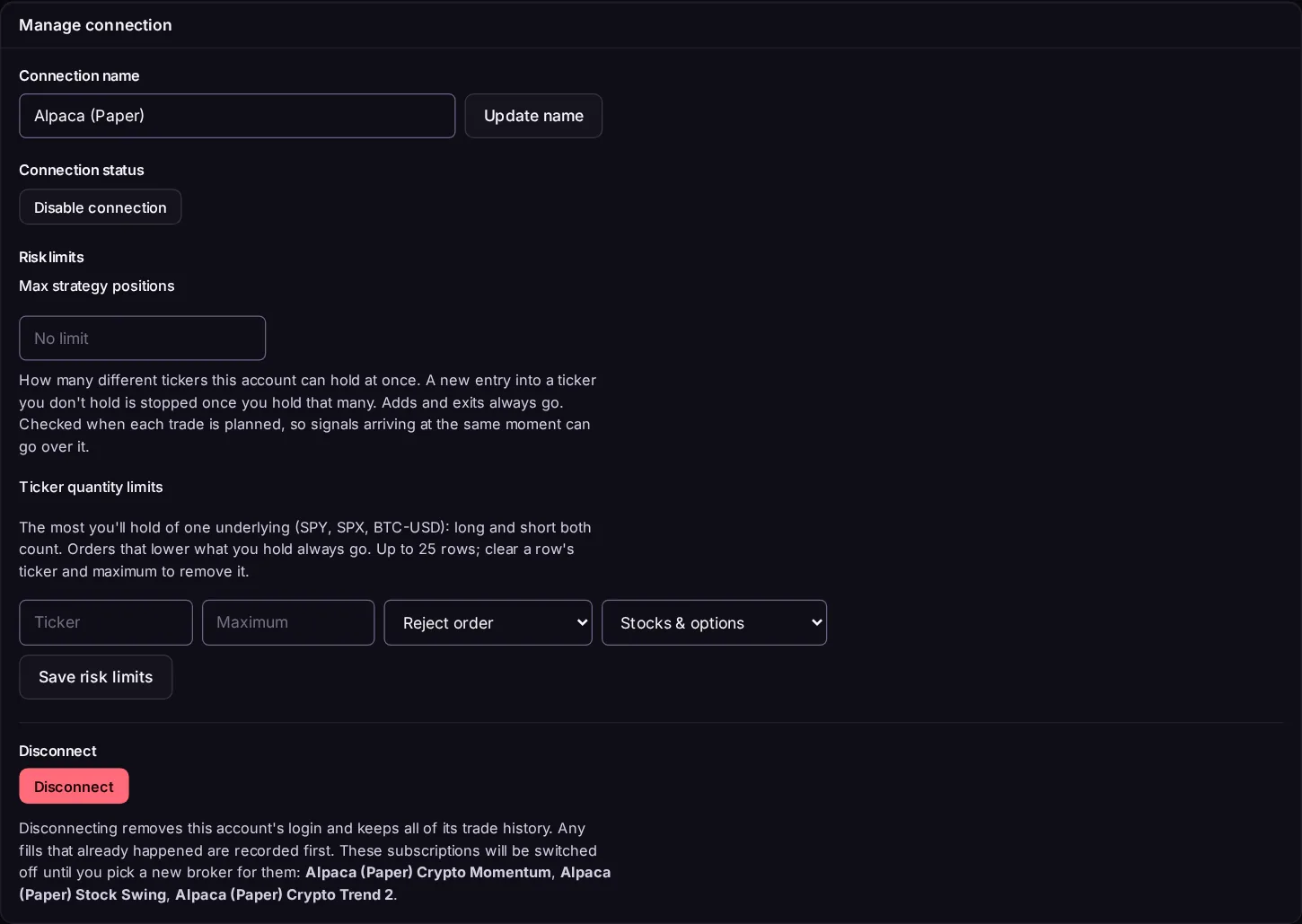
The account's Settings page lets you refresh the balance, rename the connection, disable it (its subscriptions stop trading until you enable it again) or disconnect it. It also has risk limits:
- Max strategy positions: how many different tickers this account can hold at once. A new entry into a ticker you don't hold is stopped once you hold that many. Adds and exits always go.
- Ticker quantity limits: the most you'll hold of one underlying (for example SPY, SPX or BTC-USD), long and short both counting. For each row, choose Reject order or Reduce to max when an order would go over. Orders that lower what you hold always go.
Reconnect and disconnect
- Reconnect when a broker's sign-in expires or you change the API key. Your subscriptions, history and Journal stay linked to the account.
- Disconnect removes the connection, and its subscriptions stop trading. Past signals, orders and Journal trades are kept.
Using an account you also trade by hand
EZPZ Trader trades what your signals say, based on the position it reads from the broker. If you also trade the same ticker by hand in that account, the next signal sees your manual position too. The safest setup is an account (or at least a set of tickers) used only for automation.
Which broker supports what
Order types, take profit/stop loss, extended hours, shorting and fractional quantities all differ by broker and asset class. See Broker Support.
↑ ↓ to move · Enter to open · Esc to close