
Subscriptions
A subscription links one strategy to one broker account and sets how it trades each signal: size, order type, sides, timing, take profit and stop loss.
On this page
What a subscription is
A subscription links a strategy to one broker connection. Every enabled subscription runs each of the strategy's signals, with its own settings. That's how one alert can trade 100 shares on one account and 5 on another.
Each setting below has an (i) button in the app with a worked example.
Signal values vs. your settings
Most settings have an Allow signal override box. When it's on and the signal sends a value for that setting (for example "orderType": "market"), the signal's value is used. When it's off, the signal's value is ignored and your setting is used. For one value to count, all three switches must allow it:
- the strategy's Allow signal overrides (the master switch);
- the subscription's global Allow signal overrides, or that setting's own box;
- the broker must support the value. If it doesn't, your setting is kept and the signal's page says so.
The Signal Message Reference lists which setting controls each field.
Details
| Setting | Default | What it does |
|---|---|---|
| Enabled | On | Off = this account ignores the strategy's signals. |
| Auto Submit | Off | Off = every trade waits on the Approvals page for you. See Manual Approval. |
| Allowed tickers | Any | Only trade the tickers you list. |
| Notifications | Off | Email you about every trade, or only failed ones (No notifications / Everything / Only failed signals). |
Sides
| Setting | Default | What it does |
|---|---|---|
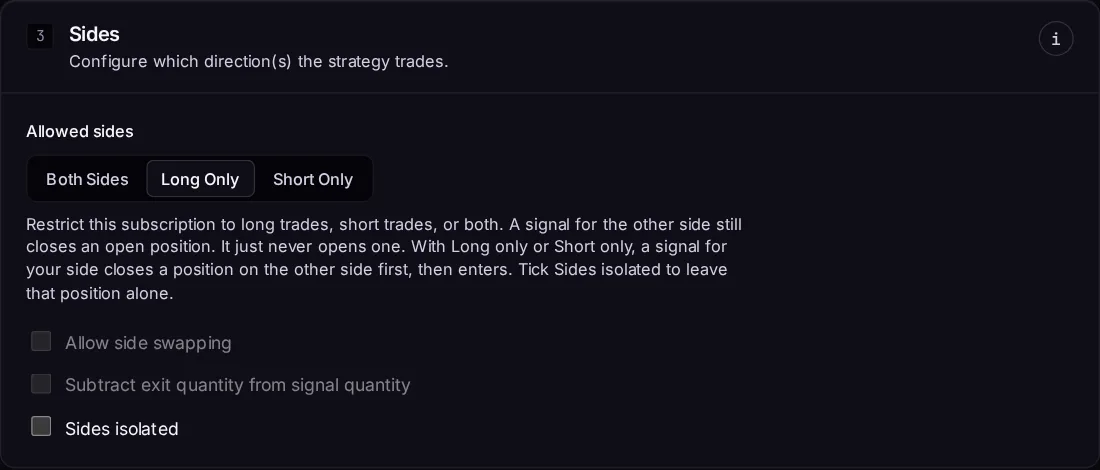
| Allowed sides | Both | Both, Long only or Short only. A side that isn't allowed is never entered. |
| Allow side swapping | Off | Both sides only. Off: a signal for the opposite side just closes your position. On: it closes the position, then opens the other side. |
| Subtract exit quantity from signal quantity | Off | When swapping, the signal's quantity includes the exit. Long 5, sell 10 → close 5, open 5 short. |
| Sides isolated | Off | Long only / Short only. On: a signal never closes a position on the other side, and the trade is refused instead. |
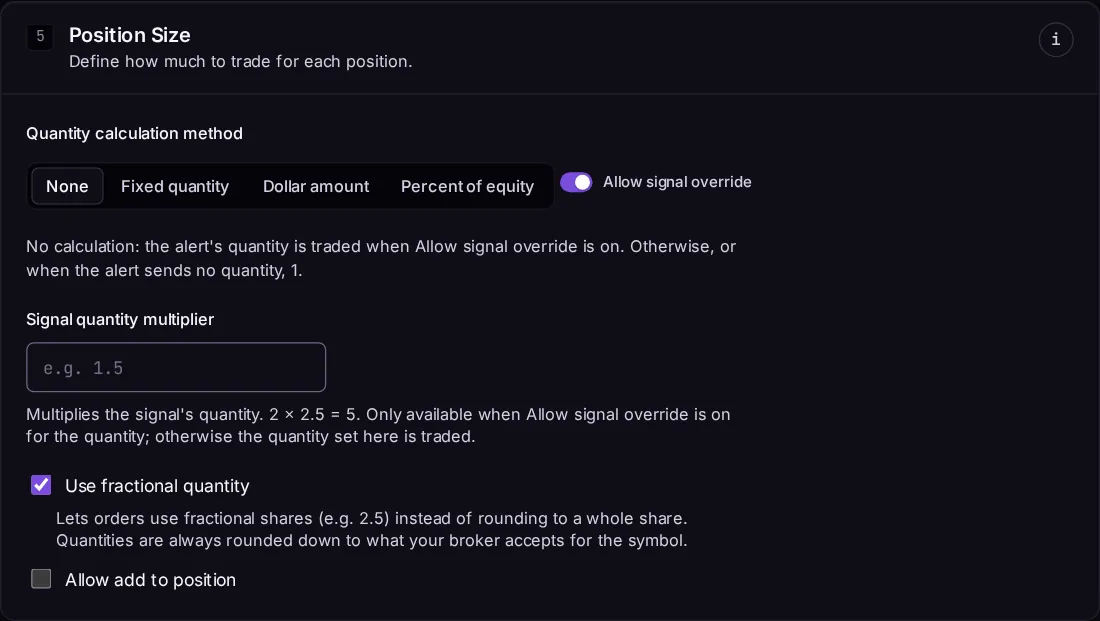
| Allow add to position | Off | On: a buy while already long (or sell while short) adds to the position. Off: it's skipped. |
| Ignore exit signals | Off | On: any signal that would close a position is skipped, including a buy/sell on the opposite side. Only take profit / stop loss at the broker, or your own Fire Panel action, closes it. |
Trading window
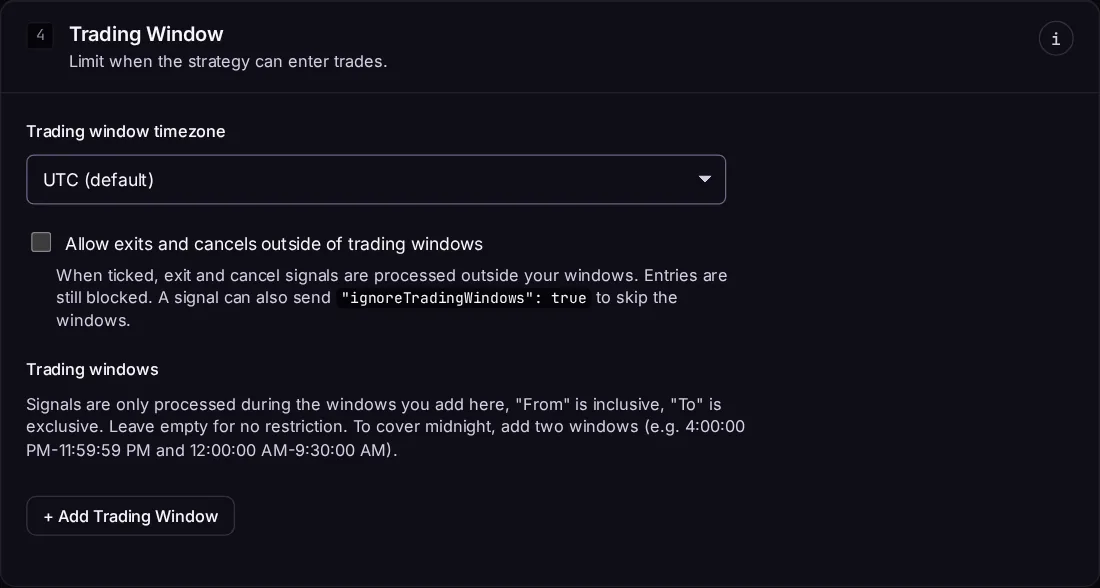
Only trade at certain times on certain days. See Trading Windows.
Position size
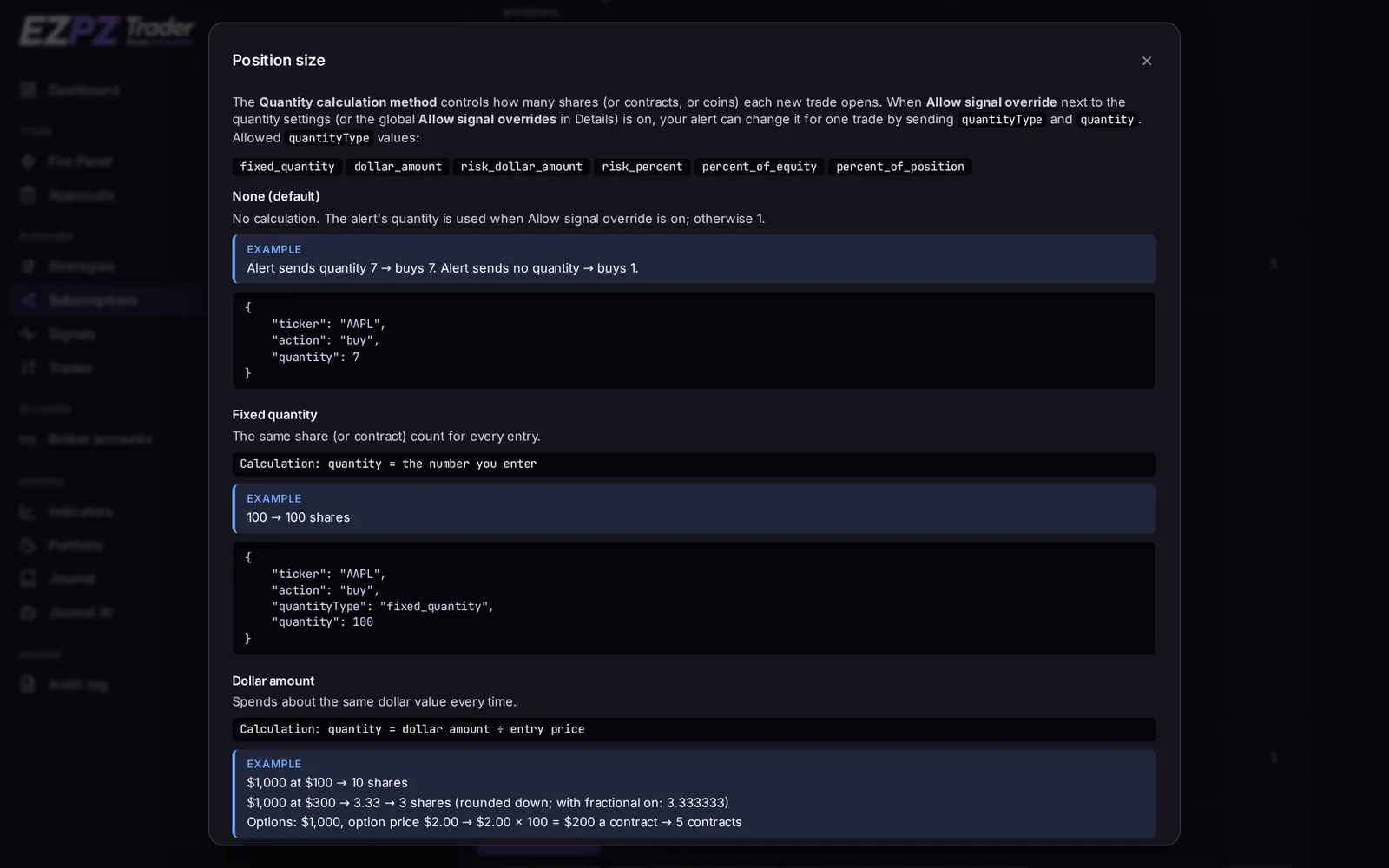
How many shares, contracts or coins to trade. Choose Fixed quantity, Dollar amount, Risk dollar amount, Risk percent or Percent of equity. You can also set a signal quantity multiplier and fractional quantities. See Position Sizing.
Cancel
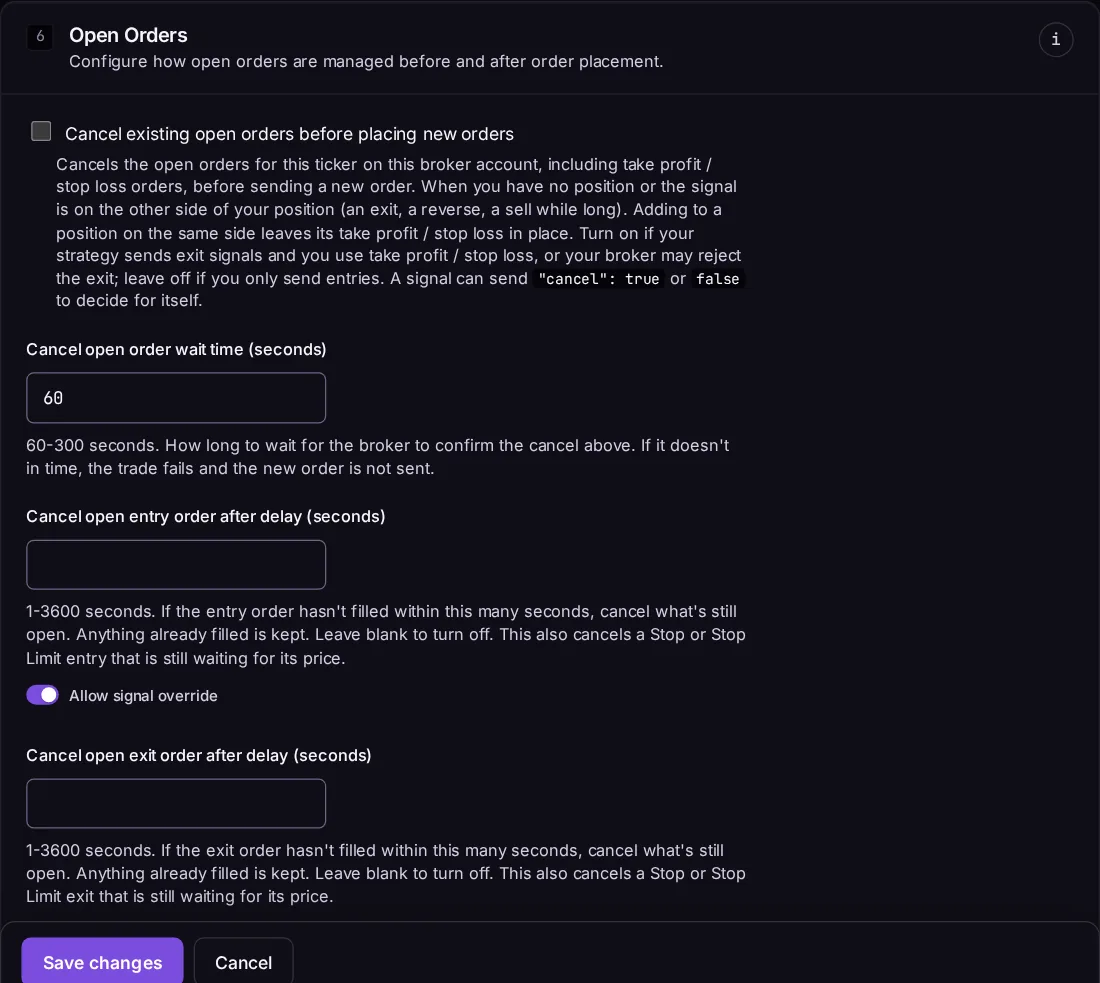
| Setting | Default | What it does |
|---|---|---|
| Cancel open orders before new ones | Off | Cancel every open order on the ticker before sending the exit or entry. The signal can turn this on or off with cancel. |
| Cancel open order wait time | 120 s | How long to wait for the broker to confirm the cancels. If they aren't confirmed in time, nothing is sent. |
| Cancel open entry / exit order after | Off | Cancel an entry or exit order that is still open after this many seconds. |
Entry and Exit
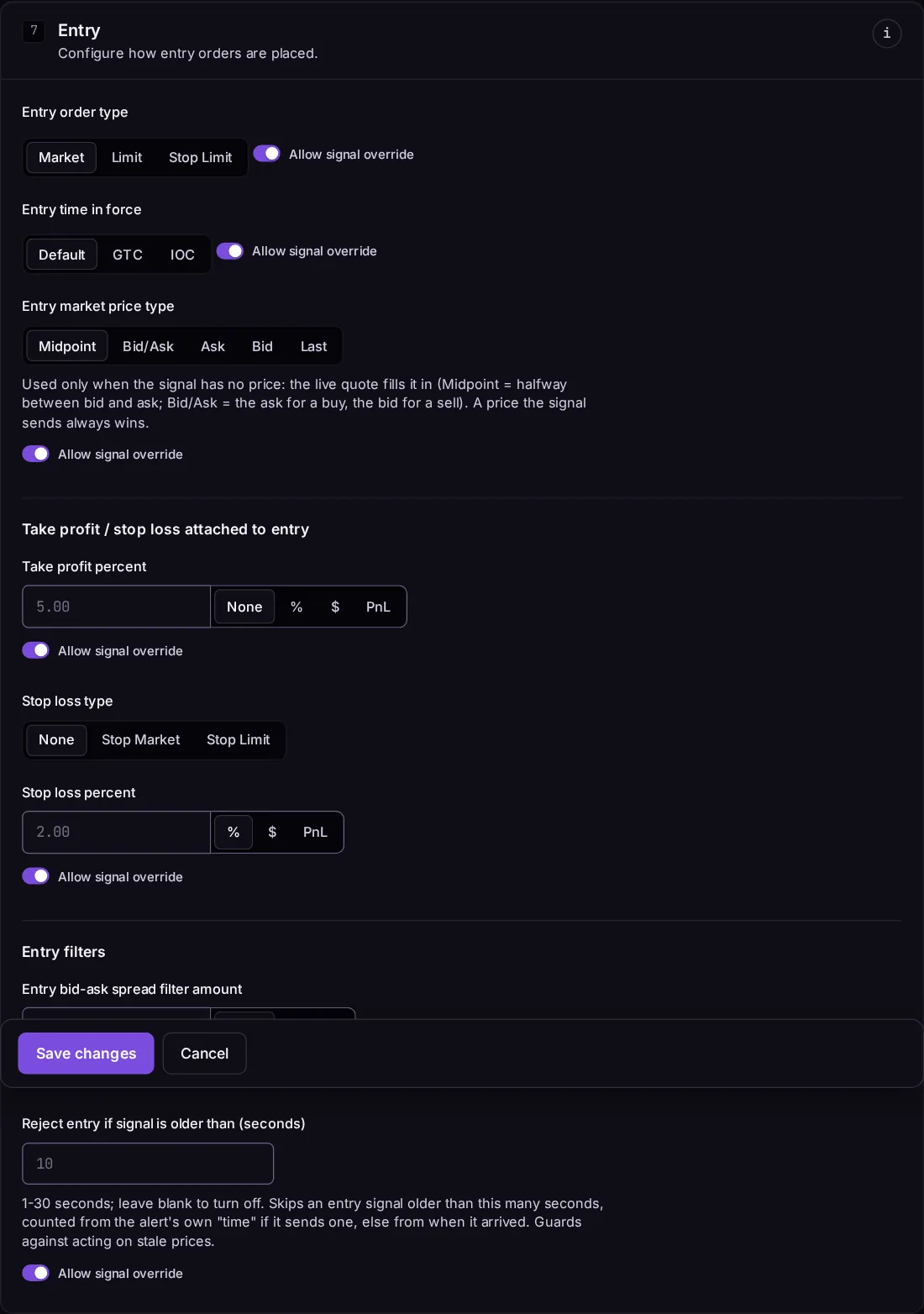
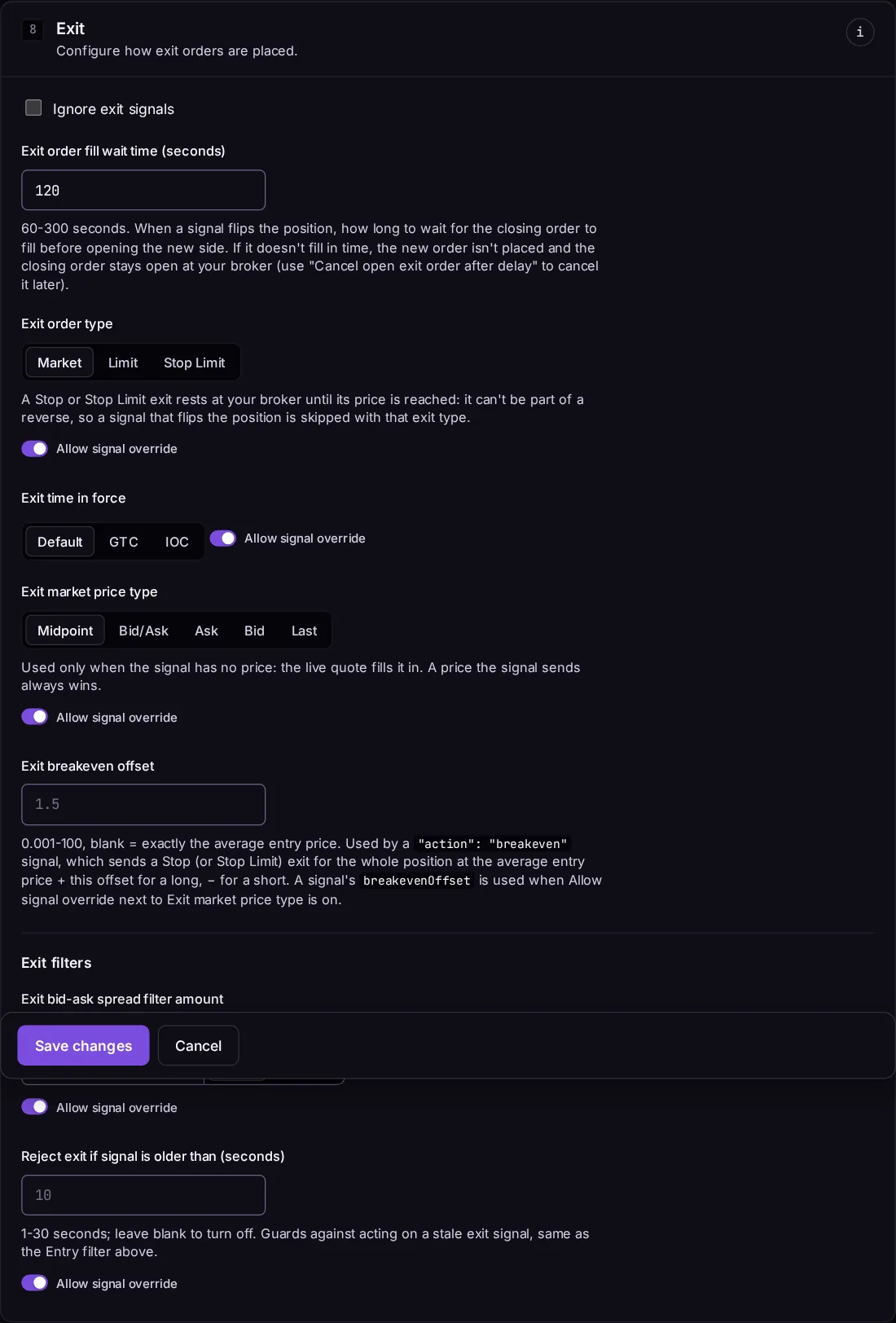
Entry and Exit have the same settings, set separately:
| Setting | Default | What it does |
|---|---|---|
| Order type | Limit | Market, Limit, Stop Market, Stop Limit or Trailing Stop, where the broker supports it. |
| Time in force | Default | The broker's default, or DAY, GTC, OPG, CLS, IOC, FOK where supported. |
| Market price type | Midpoint | Which quote price to use when the signal has no price: midpoint, bid/ask, ask, bid or last. |
| Allow extended hours | Off | Stocks only, where the broker supports it. See Market Hours. |
| Bid-ask spread filter | None | Skip the order if the spread is wider than a $ amount or %. |
| Reject if signal is older than | Off | Skip the order if the signal is older than this many seconds when it runs. |
| Exit order fill wait time (exit) | 120 s | How long to wait for an exit to fill before entering the other side (60–300 s). |
| Breakeven offset (exit) | – | Used by the breakeven action: how far past your entry price to place the new stop. |
Take profit and stop loss
Attach a take profit and/or stop loss to each entry, as a percent, a price amount, or a P&L amount. See Take Profit & Stop Loss.
Options contract
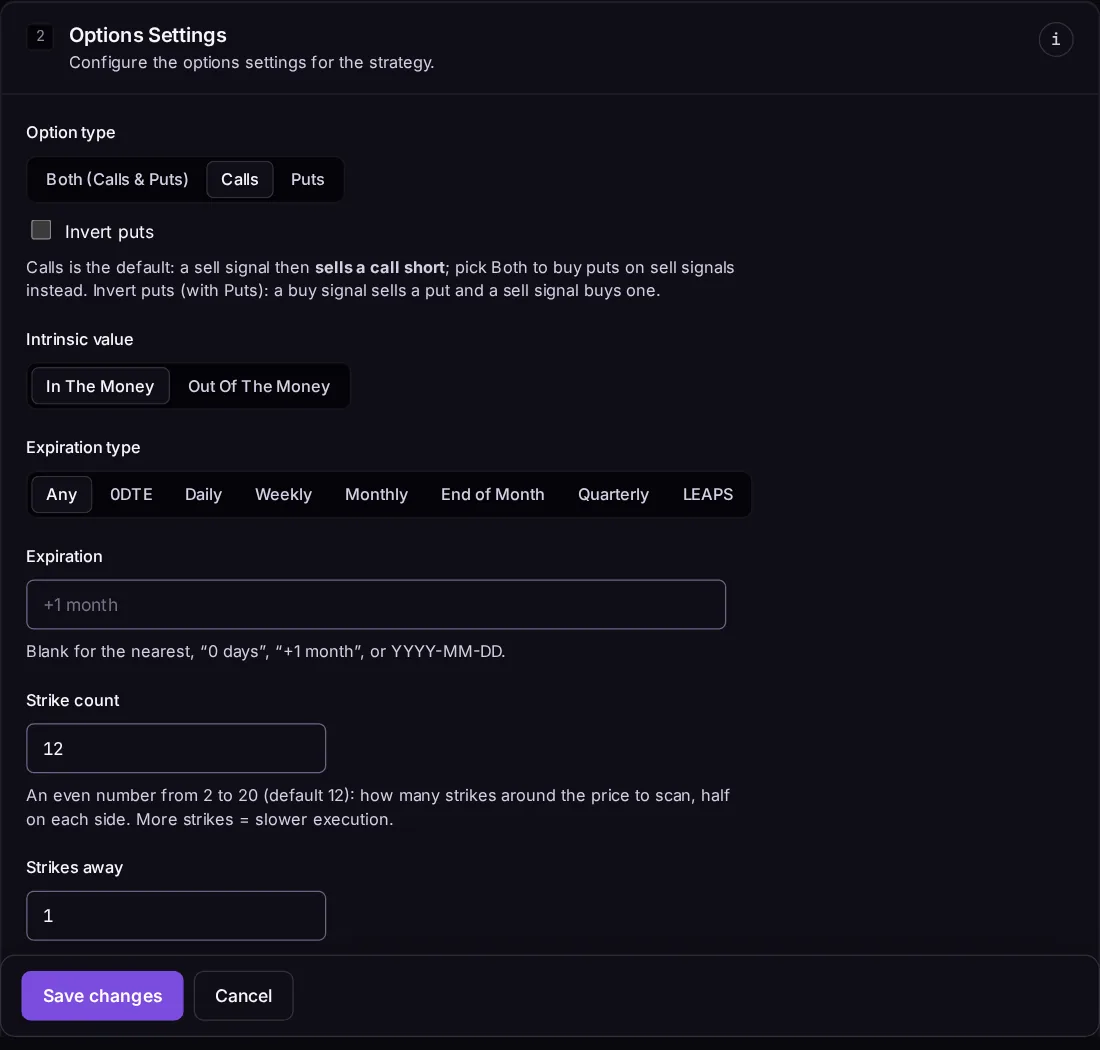
For options strategies: which contract to pick when the signal sends an underlying like SPY. See Stock Options Trading.
Retry and trade locking
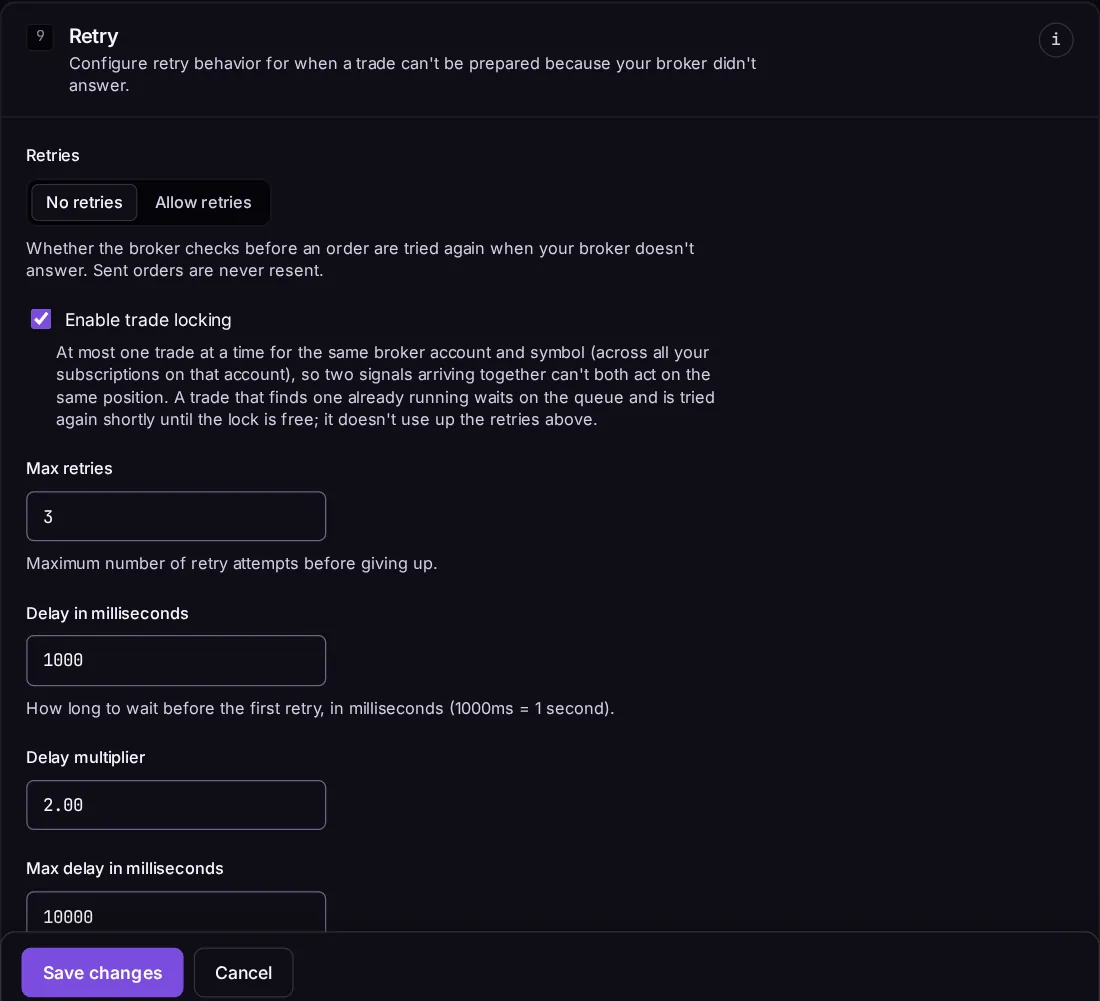
| Setting | Default | What it does |
|---|---|---|
| Allow retries | Off | Retry the planning step after a temporary broker error. See Rate Limits & Retries. |
| Trade locking | On | Signals for the same ticker on this account run one at a time, in the order they arrived. |
↑ ↓ to move · Enter to open · Esc to close