
Signals
A signal is one alert received on a strategy's webhook: a JSON message saying what to trade, run on every enabled subscription of the strategy.
On this page
What a signal is
A signal is an event that tells EZPZ Trader to trade. It's created outside EZPZ Trader, usually by a TradingView alert, a TrendSpider alert or your own code, and sent to your strategy's webhook URL as a JSON message.
{
    "ticker": "MSFT",
    "action": "buy",
    "quantity": 3
}
Only ticker and action are required. Everything else is optional; the full list is in the Signal Message Reference.
Signal values and your settings
A signal can carry its own order details: quantity, order type, take profit and stop loss. Each subscription decides whether to use them. For example, if a signal sends "quantity": 3 but one subscription should always trade 1 contract:
- On that subscription, turn Allow signal override off for Position Size.
- Set a fixed quantity of 1.
That account then ignores the signal's quantity, while other accounts can still use it. See Subscriptions.
Where to see signals
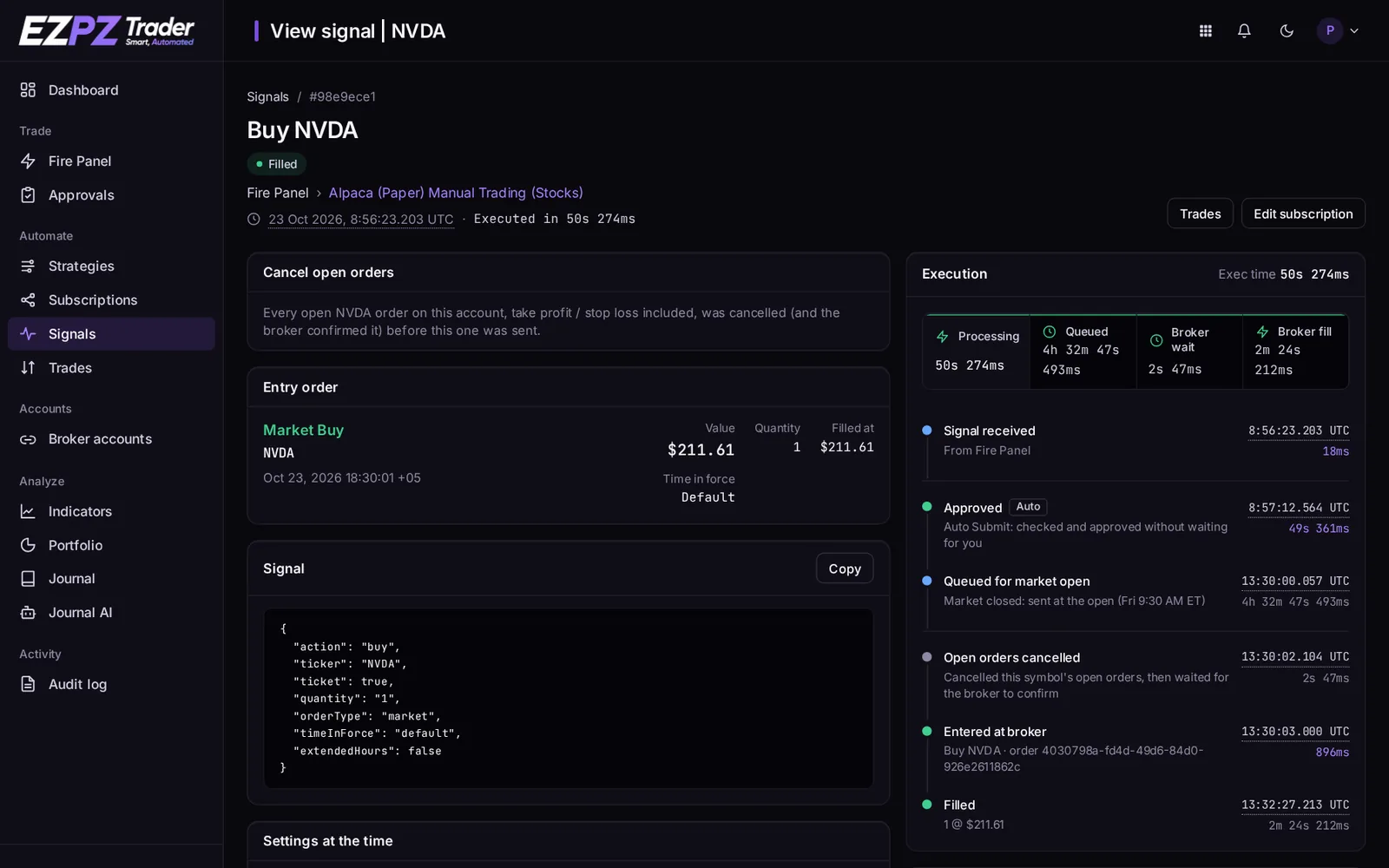
Every strategy has a Signals list showing every request its webhook received, valid or not, with the ticker, action and time. Open a signal to see:
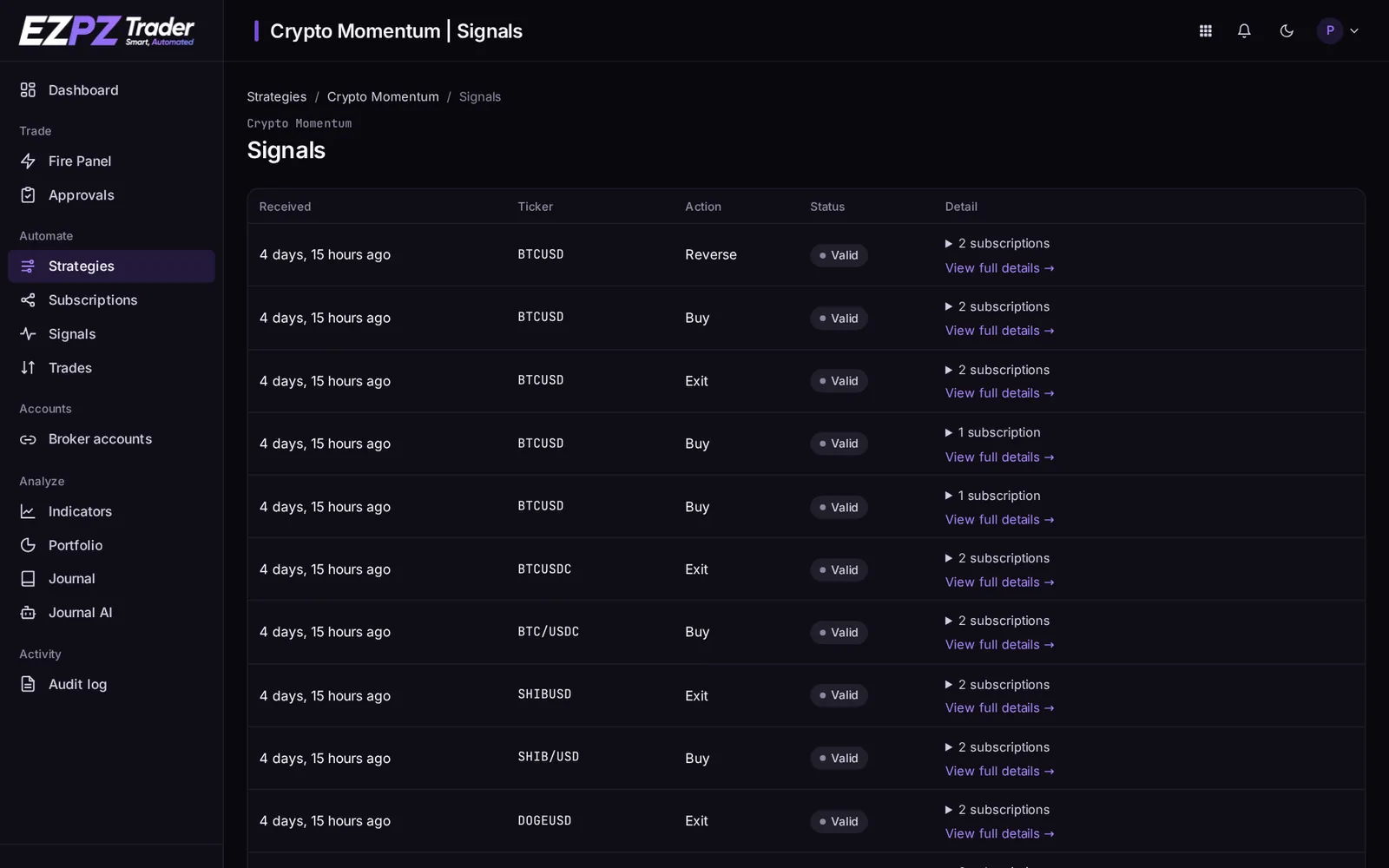
- the raw message and where it came from;
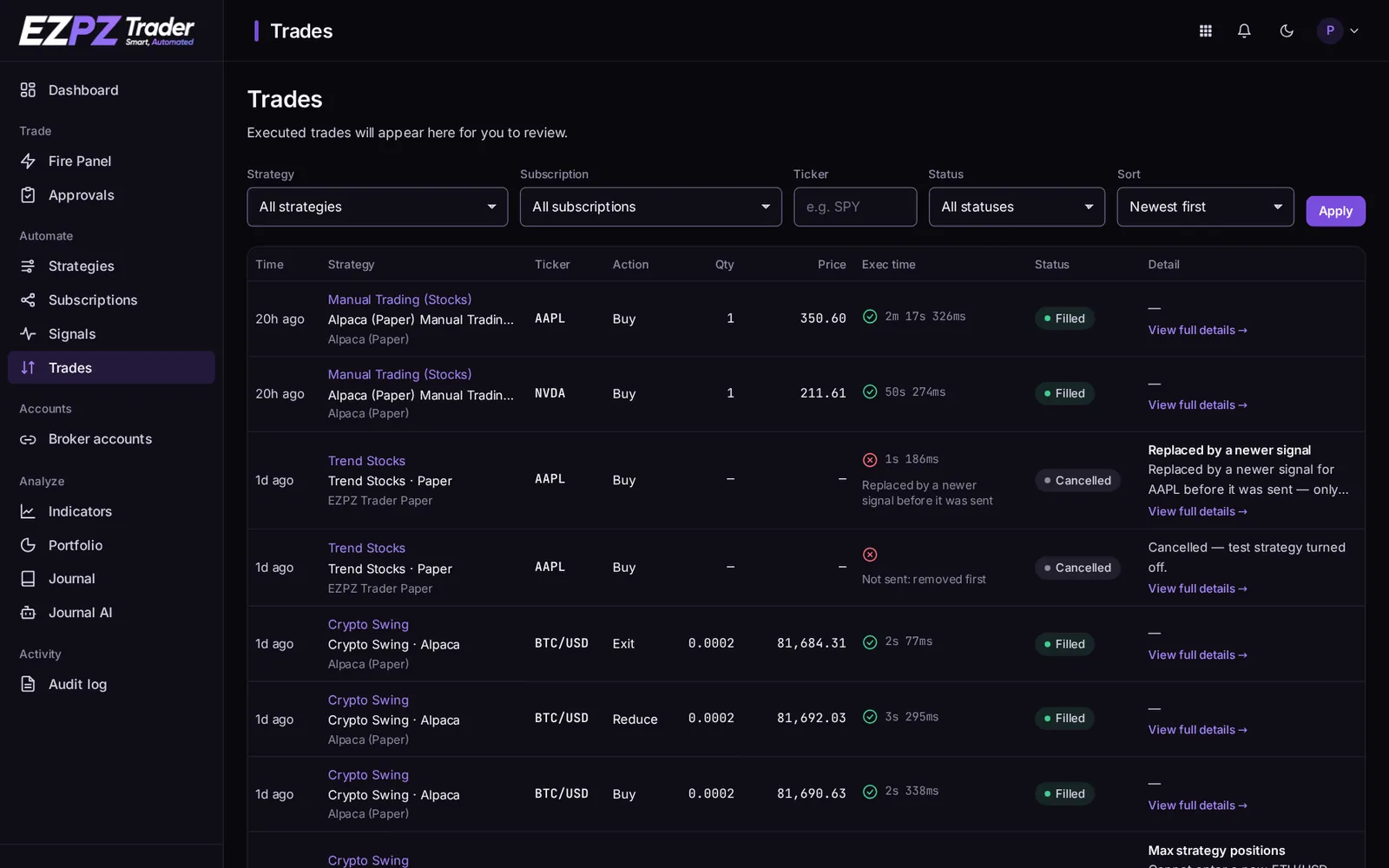
- each subscription's result: the orders sent, fill prices, slippage, and the time each step took;
- the reason, if a trade was skipped or failed. See Why a Trade Was Skipped.
Signals from the dashboard
The Fire Panel sends signals from the dashboard with a click. They run through the same steps as a webhook signal.
Pages in this section
- Signal Message Reference: every field, its values and examples.
- Webhook Responses: what the webhook answers, and every error code.
↑ ↓ to move · Enter to open · Esc to close