
Indicators
Browse TradingView indicators and strategies, see how each one backtested, and start a strategy from one in a click.
On this page
What the Indicators page is
Indicators is a catalog of TradingView indicators and strategies you can automate with EZPZ Trader. Each listing shows how it backtested, so you can compare before you pick one.
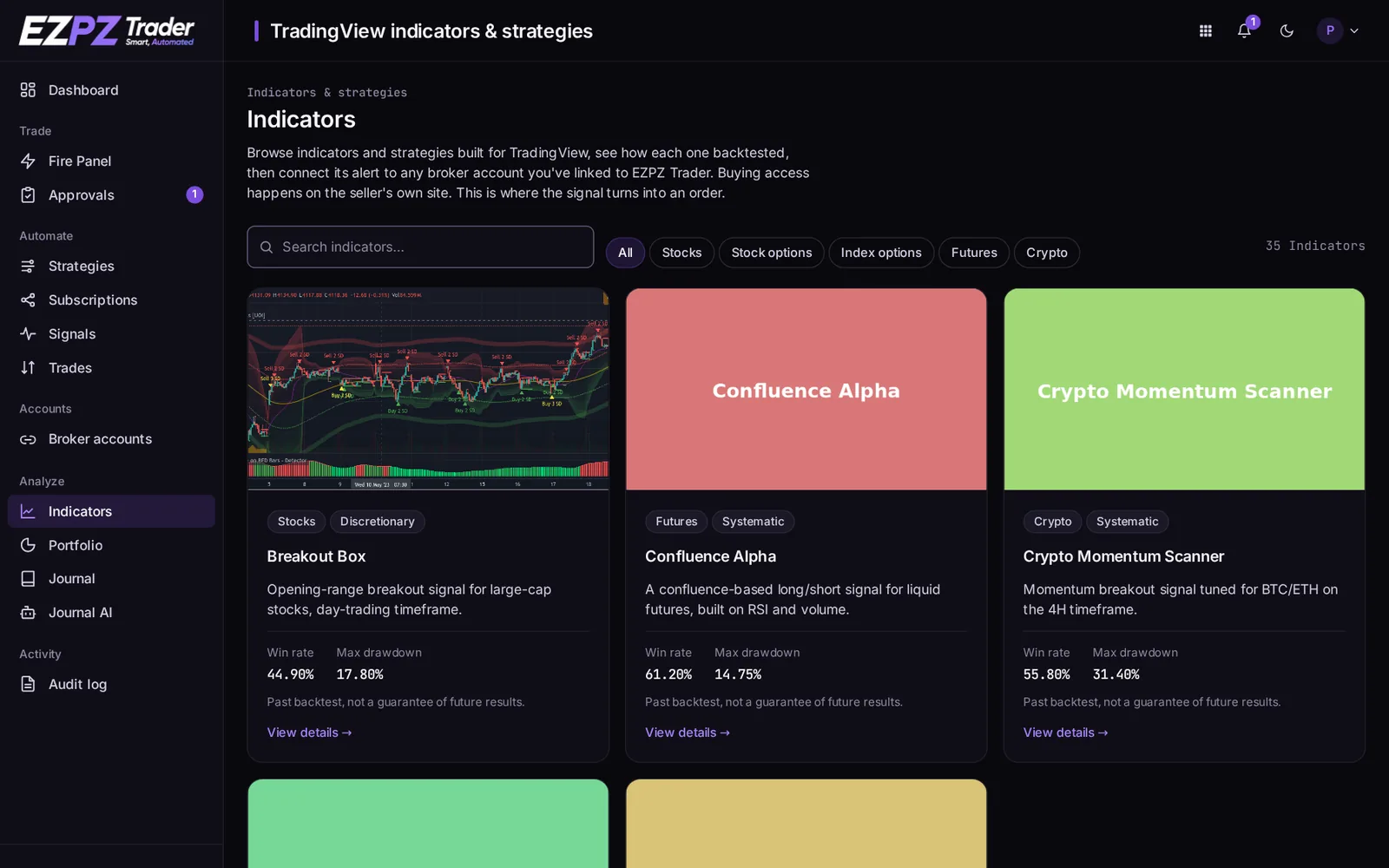
Each card shows:
- the asset class it's built for and its style: Systematic (fixed rules) or Discretionary (a tool that helps your own decisions);
- backtest numbers: win rate and max drawdown, and on the detail page the biggest win, biggest loss and backtest period.
Backtests aren't a promise
Backtest numbers show how the rules did on past data. Live results can be very different.
Using an indicator
- Open the indicator and click TradingView to get it. You add it to your TradingView chart, on the seller's site where it's sold.
- Back on the indicator's page, click Start with this indicator. It opens a new strategy pre-filled for that indicator.
- Subscribe a broker account to the strategy, then create the TradingView alert with the strategy's webhook URL. See TradingView.
The indicator runs on TradingView; EZPZ Trader receives its alerts and places the orders.
↑ ↓ to move · Enter to open · Esc to close