
Manual Approval
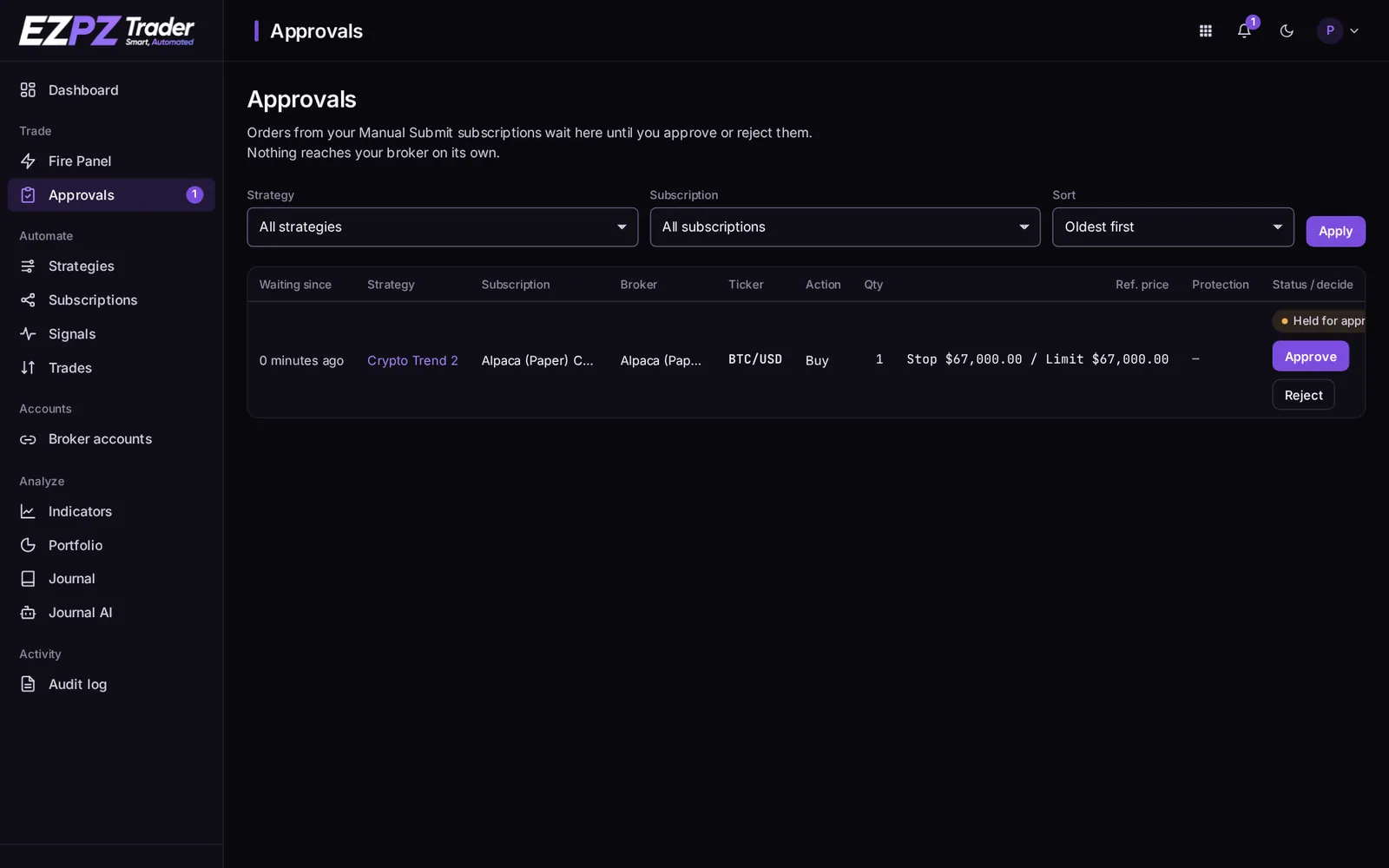
With Auto Submit off, every trade waits on the Approvals page until you approve or reject it.
How it works
Auto Submit is a subscription setting. It's off on a new subscription, so you can watch a strategy's trades before letting it run on its own.
With Auto Submit off:
- A signal arrives and passes the subscription's checks.
- Instead of being sent, the trade waits on the Approvals page. The dashboard's sidebar shows a badge with the number waiting.
- You approve or reject it.
The strategy's Allow auto submit can also force every subscription to wait for approval.
When you approve
- Your position is read from the broker again, so the order matches your account as it is now, not as it was when the signal arrived.
- If the market is closed, the approved trade is queued and sent at the open.
- If a newer signal for the same ticker has arrived on the subscription since, the newer one wins. The older approval is refused and stays on the list, with a message naming what replaced it.
When you reject
Nothing is sent, and the trade is marked rejected on the signal's page.
Turning Auto Submit on
Turn on Auto Submit in the subscription's Details. From then on, trades are sent as soon as they pass the checks. Trades already waiting stay on the Approvals page until you act on them.
↑ ↓ to move · Enter to open · Esc to close