
How a Signal Becomes an Order
Every step between your alert reaching the webhook and the order at your broker, and what can stop a trade at each step.
On this page
A signal goes through four stages. The signal's detail page shows each stage with its time, to the millisecond.
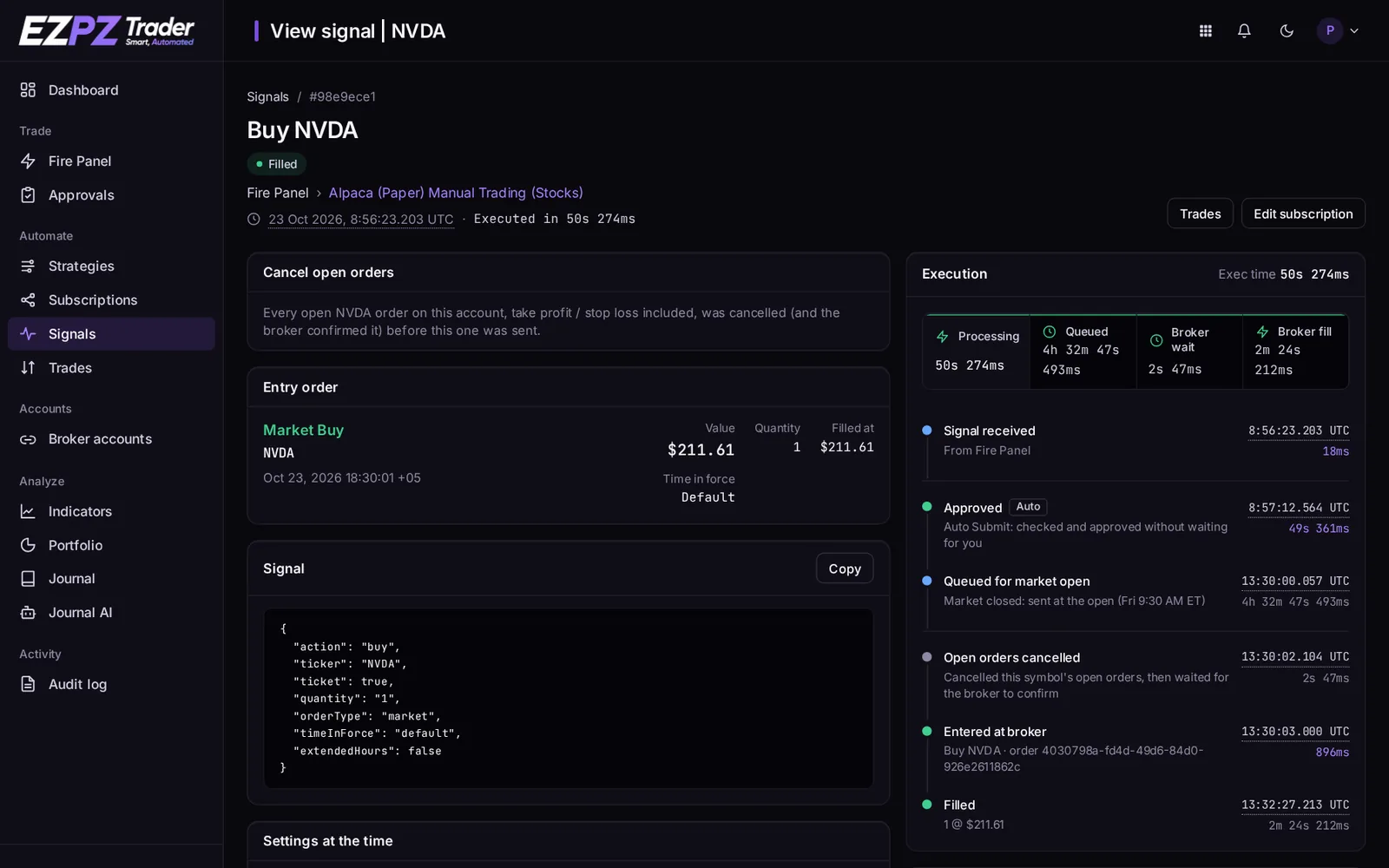
1. The webhook checks the request
These checks run before anything is traded. If one fails, the webhook answers with an error code and no subscription runs. See Webhook Responses.
- The URL must match a strategy, and its secret must be the current one.
- The account must be active.
- The webhook must stay under 60 requests a minute and 500 an hour.
- The sender's IP must be allowed, if the strategy limits IPs.
- The body must be valid JSON with a
tickerand anaction, and every other field must be a value we accept. - If the strategy has an allowed-tickers list, the ticker must be on it.
An identical alert body sent to the same strategy again within 5 seconds is logged as a duplicate and not traded twice. Otherwise the webhook answers 200 straight away and the trade runs in the background. A signal with delay runs when its delay is over.
2. Each subscription decides whether to trade
Every enabled subscription of the strategy runs at the same time, each on its own: a problem on one account never stops or slows another. For each subscription, the trade is skipped, with a reason, when for example:
- the strategy's Allow live trading is off and this is a live account;
- the ticker isn't in the subscription's allowed tickers;
- the side isn't allowed by the subscription's Sides setting;
- the signal is older than Reject if signal is older than;
- it's outside the subscription's trading windows.
Two things make a trade wait instead of being skipped:
- The market is closed. The trade is queued and sent when the market opens. See Market Hours & Order Queueing.
- Auto Submit is off. The trade waits on the Approvals page. See Manual Approval.
3. Planning the order
- The broker is asked for your current position in the ticker.
- If the order needs a price and the signal didn't send one, a quote is read using the subscription's market price type (midpoint by default).
- The quantity is worked out from the signal or the subscription's Position Size. See Position Sizing.
- The quantity is fitted to what the broker accepts: whole shares unless fractional is on, and the broker's step and minimum size.
- Take profit and stop loss prices are calculated and rounded to the instrument's tick size.
If a broker call fails here with a temporary error, the subscription's Retry settings can run the planning again. Placing an order is never retried, so an order can't be sent twice. See Rate Limits & Retries.
4. Sending the orders
- Cancel open orders on the ticker, if the subscription's cancel setting is on (it's off by default) or the signal sends
"cancel": true. The broker must confirm every cancel within the cancel wait time (120 seconds by default), or nothing else is sent. - Exit the open position, if the signal closes it: an
exit, aflatsentiment, or a buy/sell on the opposite side. - Wait for the exit to fill, when the signal also enters the other side (a flip). A flip happens only with Allow side swapping on, or when the subscription trades one side only. If the exit hasn't filled within the exit order fill wait time (60–300 seconds, 120 by default), the entry is not sent, so you never hold both sides at once. The exit stays open at the broker.
- Enter the new position, with take profit and stop loss attached where the broker supports it.
The full rules for buy, sell, exit, add and the other actions are in Order Behavior.
5. After the order
EZPZ Trader follows each order until it fills or is cancelled. It also:
- detects take profit and stop loss fills;
- adds the trade to your Trade Journal;
- emails you, if the subscription's notifications are on.
↑ ↓ to move · Enter to open · Esc to close