
Team Members & Security
Give other people access to your account without sharing your password, and keep your account and webhooks secure.
Team members
Invite people to your account by email, with one of two roles:
| Role | Can do |
|---|---|
| Full access | Everything you can do with strategies, subscriptions, brokers and trading. |
| View only | See your strategies, signals, trades and Journal. They can't place trades, change settings, or see webhook URLs. |
Remove a member at any time; no password change is needed. If a full-access member leaves, consider rotating your webhook URLs, because they could see them.
Two-factor authentication
Turn on two-factor authentication (2FA) in your account settings with an authenticator app such as Google Authenticator or Authy. Each code works once. Until 2FA is on, the dashboard shows a reminder.
Audit log
Audit log (in the dashboard menu) records every change on your account: strategies, subscriptions, webhooks, broker connections, team members and settings, plus each login. Each entry shows who did it, when, from where, and what changed.
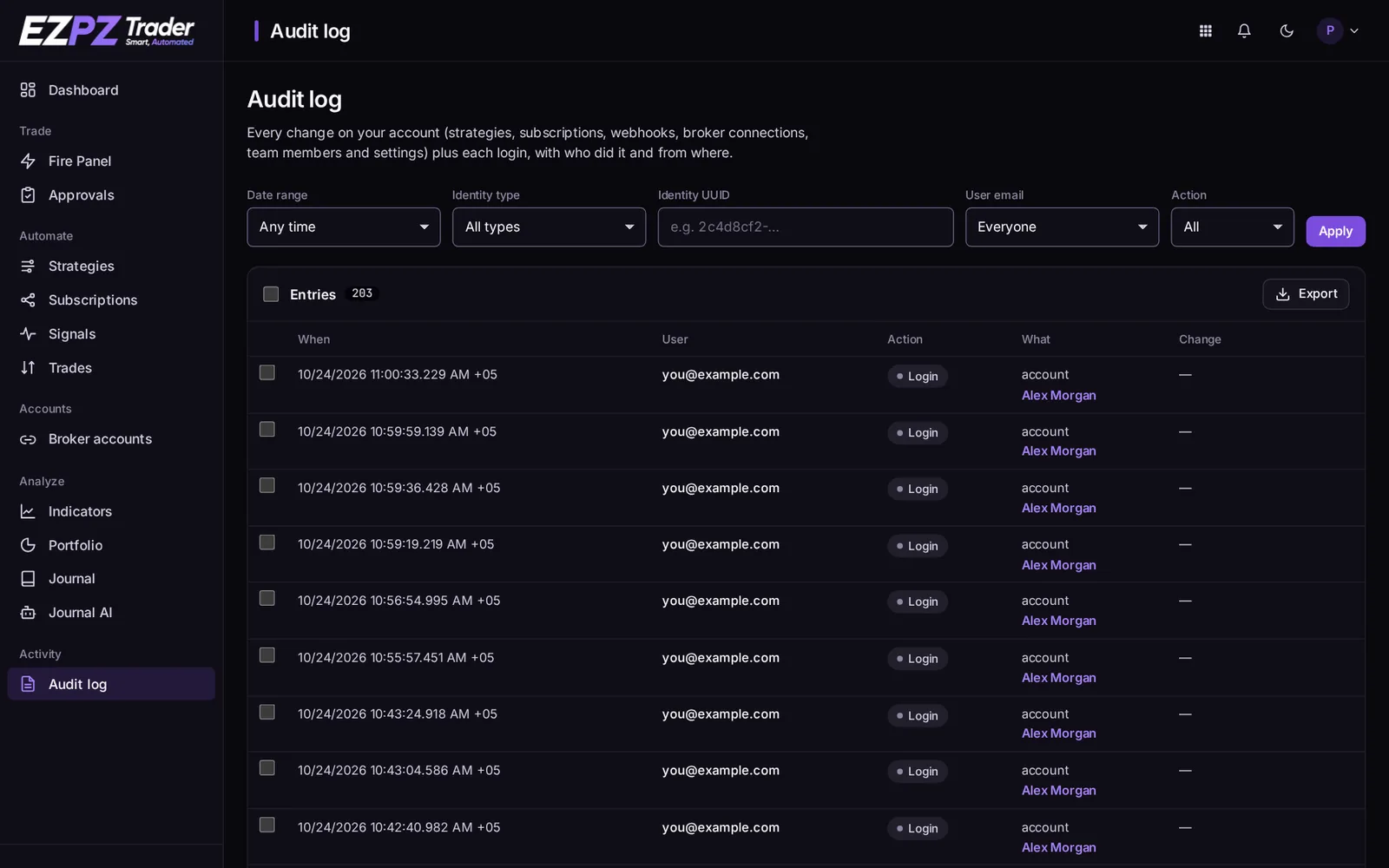
Filter by date range, user, action and type, or Export the entries. Use it to find out why a setting changed, or to check who signed in.
Webhook security
- The webhook URL is the only credential a signal needs. Treat it like a password.
- Rotate a strategy's URL if it may have leaked. The old one stops working at once.
- Use the strategy's IP restriction to accept signals only from TradingView or your own servers.
Deactivated accounts
When an account is deactivated, it trades nothing. Its webhooks answer 403 account-inactive, queued trades are cancelled, and its team members lose access.
↑ ↓ to move · Enter to open · Esc to close