
Position sizing for automated trades, with one worked example for every method
A signal that says "buy" doesn't say how much to buy. The subscription's Position Size setting decides that. Below, we walk through each method with real fills from our demo account and show the exact arithmetic.
The trades we used
All numbers and screens below come from the EZPZ Trader demo account, trading on the built-in paper account (which started at $100,000) on Thursday, Oct 22, 2026. Plain buy alerts with no quantity and no price were sent to three strategies' real webhook URLs:
{"ticker": "QQQ", "action": "buy", "sentiment": "long"}
Each strategy has its own subscription, and each subscription uses a different sizing method. The entries were Limit orders priced at the live midpoint quote, and the paper account fills a Limit order at its limit price, so the price used for sizing is the fill price.
| Strategy | Sizing method | First fill | Shares | Position value |
|---|---|---|---|---|
| SPY Opening Range | Fixed quantity, 10 | $765.95 | 10 | $7,659.50 |
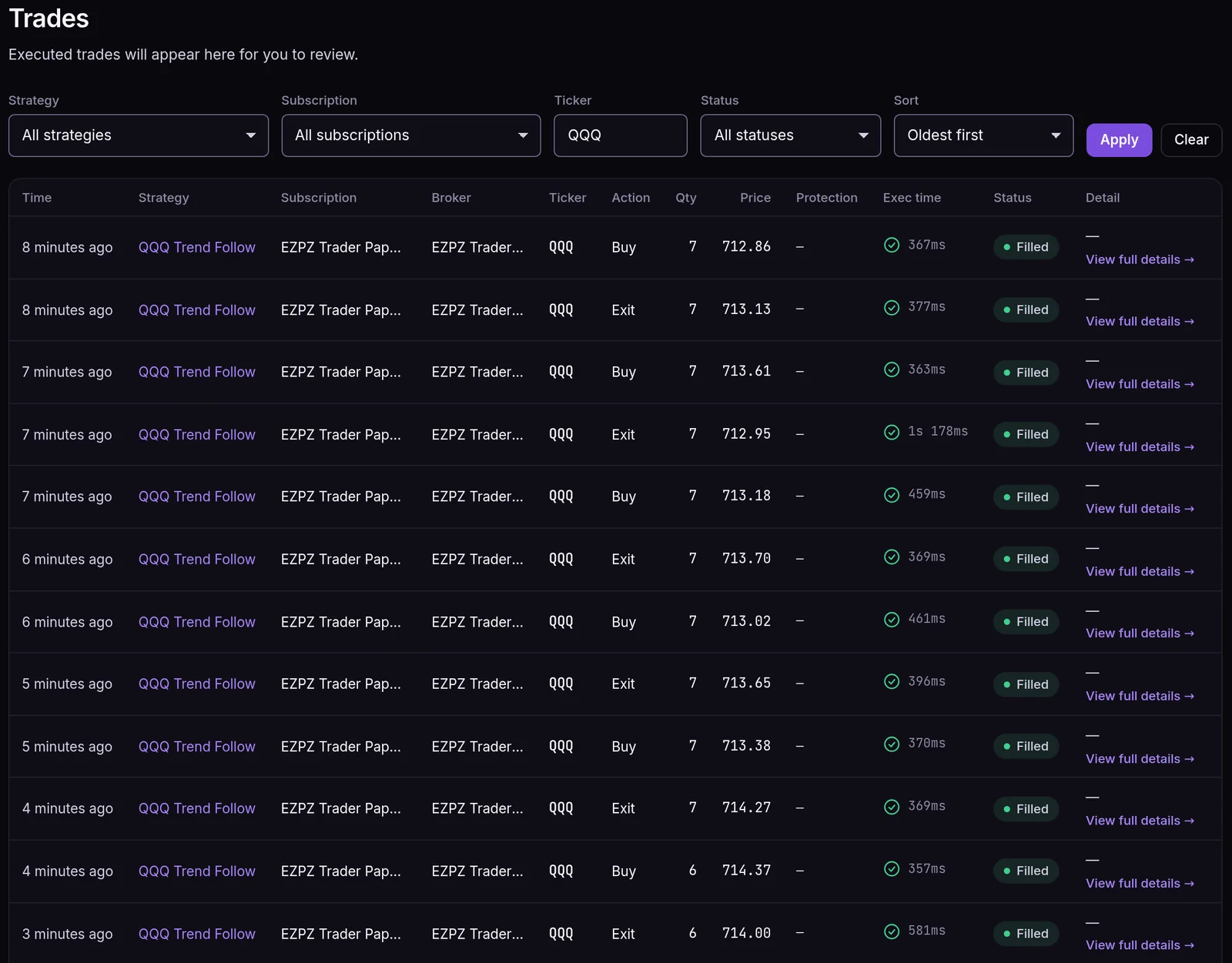
| QQQ Trend Follow | Dollar amount, $5,000 | $712.86 | 7 | $4,990.02 |
| AAPL Momentum | Percent of equity, 5% | $345.71 | 14 | $4,839.94 |
The SPY and QQQ buys filled at 9:30 a.m. ET. The AAPL buy arrived at 8:49 a.m., before the open, so it waited in the market-hours queue and was sized and filled when it was released at 9:30.
The methods, one by one
Fixed quantity
Every signal trades the same number of shares or contracts, whatever the price or account size. SPY Opening Range is set to 10, so it bought 10 shares at $765.95, which is $7,659.50.
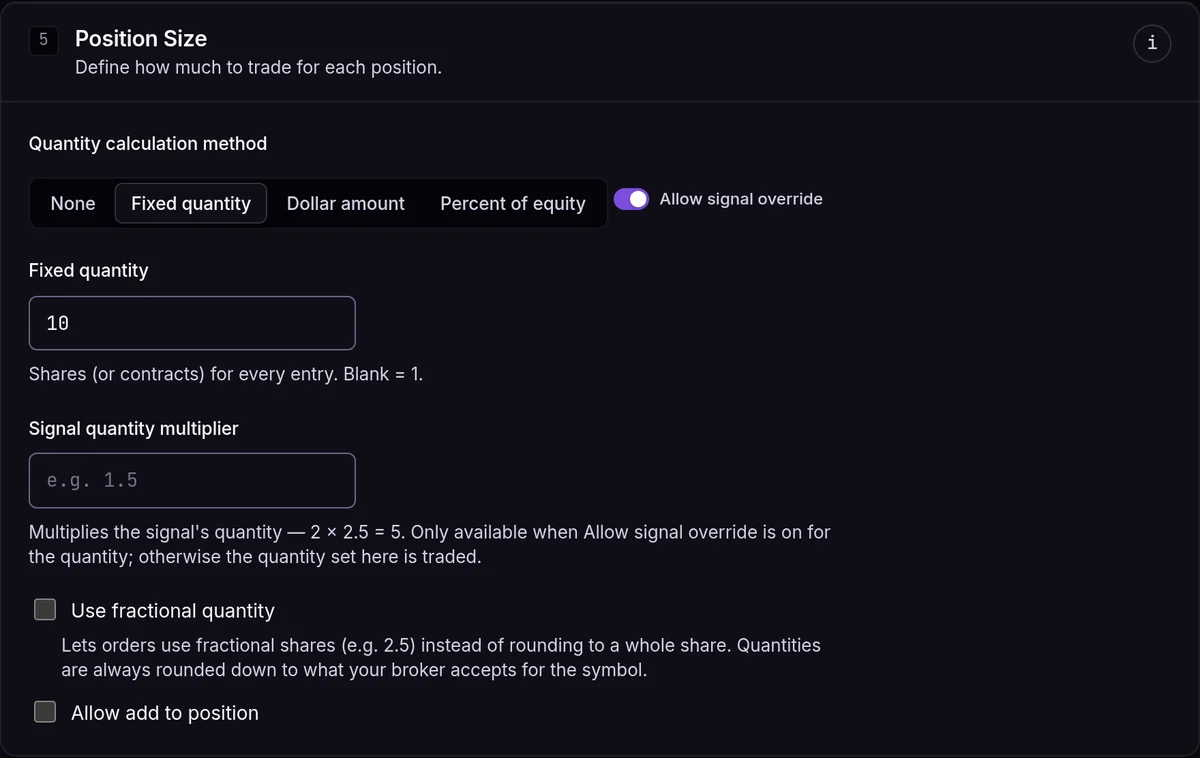
It's simple and predictable. The catch is that a $345 stock and a $765 stock get the same share count, so your dollar exposure swings a lot. If a fixed quantity below 1 (say 0.5) rounds down to 0 with fractional off, we trade 1 instead.
Dollar amount
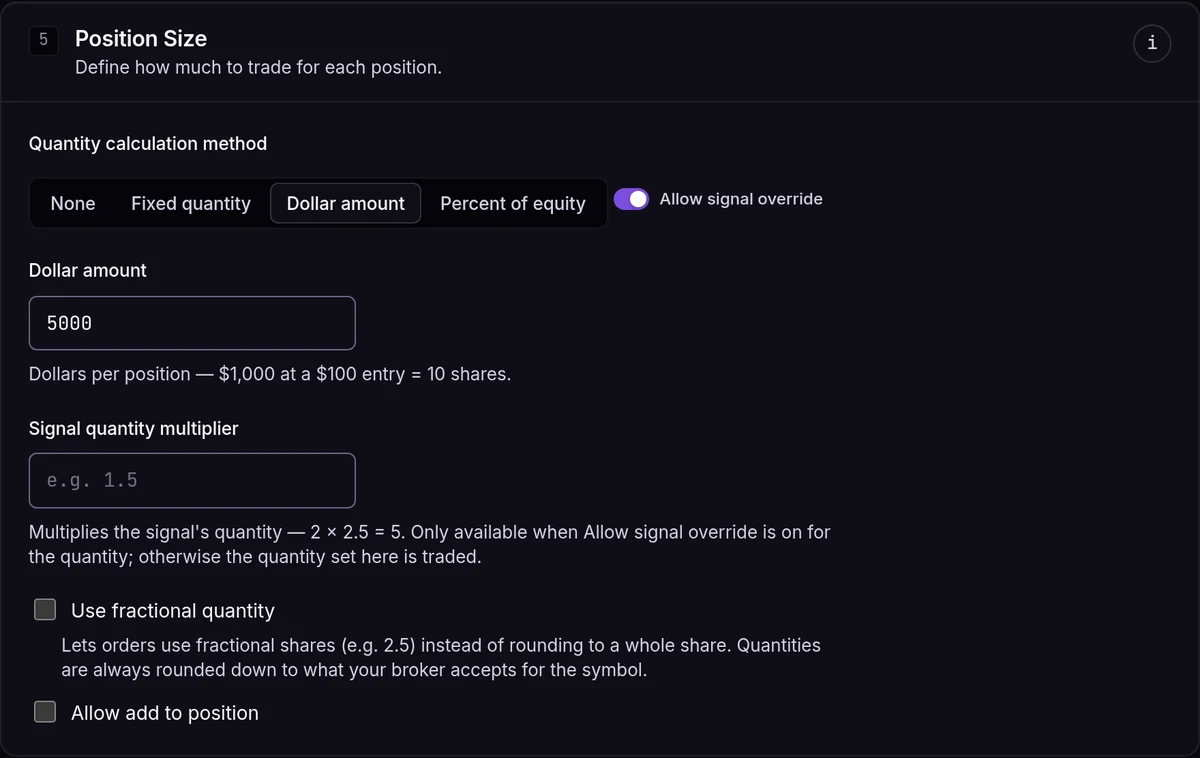
You pick the dollars and we divide by the entry price: quantity = amount ÷ price.
QQQ Trend Follow is set to $5,000. $5,000 ÷ $712.86 = 7.01, rounded down to 7 shares, which is $4,990.02. If the price goes up, you get fewer shares, so the dollar exposure stays close to the amount you set.
Percent of equity
The same idea as a dollar amount, but the dollars come from your account's equity: quantity = equity × percent ÷ price.
AAPL Momentum is set to 5%. When its buy was released at the open, the paper account's equity was about $100,002: the $100,000 starting balance plus about $1.62 of profit from crypto practice trades closed earlier that morning, with nothing open. 5% of that is about $5,000.08, and $5,000.08 ÷ $345.71 = 14.46, rounded down to 14 shares ($4,839.94). As the account grows or shrinks, so does the position.
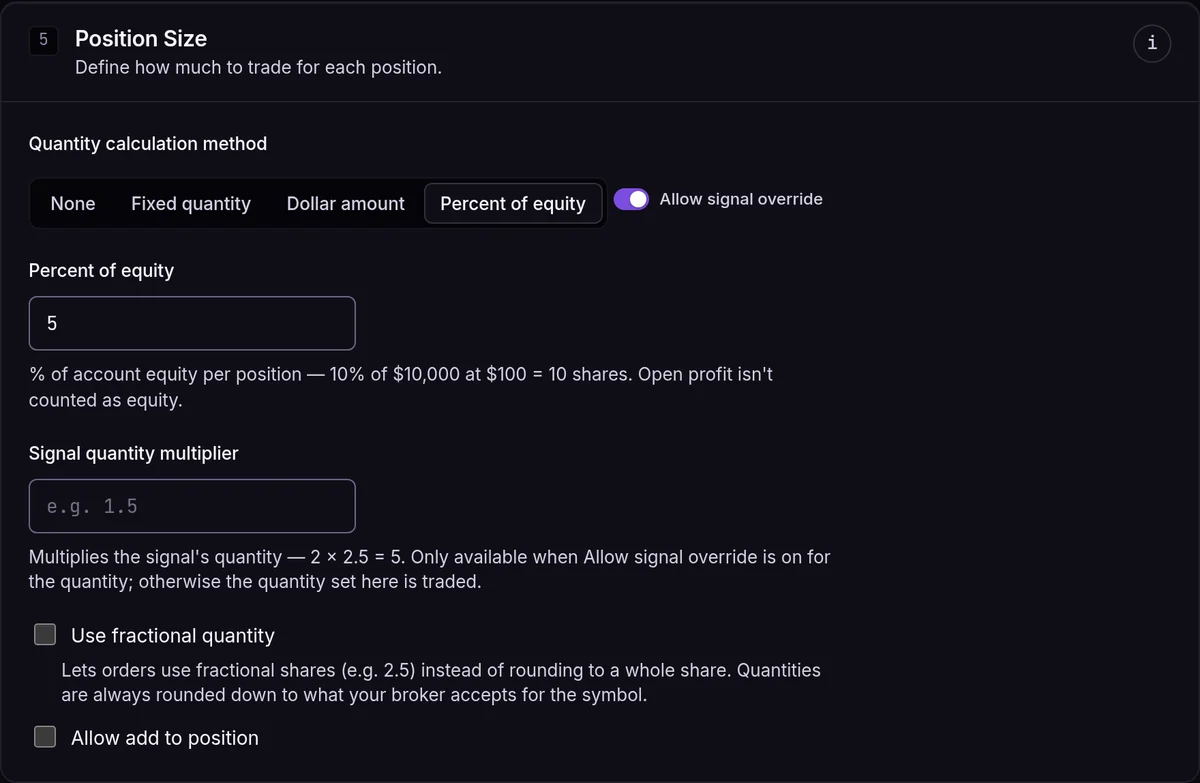
The equity used is what the broker reports for the account when the signal is processed. If open positions are in profit, that open profit is taken off first, so a winning trade doesn't make the next one bigger. The paper account values open positions at what you paid for them.
Risk dollar amount and Risk percent
These two methods size by how much you lose if the stop is hit:
- Risk dollar amount:
quantity = risk ÷ (entry − stop) - Risk percent:
quantity = equity × percent ÷ (entry − stop)
They need a stop loss price, and that stop is the same one the broker attaches to the entry order. The paper account can't attach a stop loss, so these two methods are hidden on paper subscriptions. That's why the screenshots above only show None, Fixed quantity, Dollar amount and Percent of equity. On a broker that attaches stop losses, they show up in the same list.
Here is the arithmetic with the real QQQ entry and a made-up stop, to show how it works. This is an example, not a fill:
- Entry $712.86 (the real first QQQ fill), stop $707.86 (example), so $5.00 of risk per share.
- Risk dollar amount of $100: $100 ÷ $5.00 = 20 shares.
- Risk percent of 0.25% on about $100,002 of equity: about $250 ÷ $5.00 = 50 shares.
Move the stop to $710.36 ($2.50 away) and the same $100 of risk buys 40 shares. A tighter stop means a bigger position for the same risk.
Rounding: why $5,000 bought 6 shares once
Sizing math rarely lands on a whole number, and it rounds down. The QQQ subscription bought 7 shares on most of its entries that morning. On one entry, QQQ filled at $714.37, and $5,000 ÷ $714.37 = 6.999. That rounds down to 6 shares, not up to 7.
- With Use fractional quantity off (the default), quantities round down to whole shares.
- With it on, and only on brokers that take fractional orders, you get the fraction, rounded down to what the broker accepts for the symbol.
- Options and futures always round down to whole contracts.
- If rounding leaves zero, the trade is skipped with Quantity rounds to zero. For example, $100 into SPY at $765.95 is 0.13 shares, so nothing is sent. Dollar, percent and risk methods never round up into a bigger position than you asked for.
When the alert sets the size
The subscription's Allow signal override for the quantity is on by default (you can see it in all three screenshots). When it's on and the alert sends a quantity, the alert's number is used instead of your method. A plain number means shares or contracts. Add quantityType to send other units:
{"ticker": "QQQ", "action": "buy", "quantity": 5000, "quantityType": "dollar_amount"}
quantityType |
The quantity means |
|---|---|
fixed_quantity |
shares or contracts |
dollar_amount |
dollars to spend |
percent_of_equity |
percent of account equity |
risk_dollar_amount |
dollars at risk to the stop |
risk_percent |
percent of equity at risk to the stop |
percent_of_position |
percent of the open position (for partial exits) |
If you set a Signal quantity multiplier on the subscription, the alert's quantity is multiplied by it, so one alert can trade 1× on one account and 3× on another. It only applies to a quantity sent by the alert, not to the subscription's own size.
Options: one contract is 100 shares
For options, dollar-based methods divide by the premium times 100. If the QQQ subscription traded options with the same $5,000, a contract priced at $2.50 (an example price) would give $5,000 ÷ ($2.50 × 100) = 20 contracts. Forgetting the ×100 is the most common reason an options size looks 100 times too big in a spreadsheet.
Which one should you use?
- Fixed quantity suits futures (the only method they take, besides None) and strategies where the contract size already sets the risk.
- Dollar amount or Percent of equity suit strategies across many tickers at different prices. On our demo, they kept QQQ and AAPL near $5,000 each, while fixed 10 shares of SPY came to $7,659.50.
- Risk dollar amount or Risk percent suit strategies where the stop sets the trade, on a broker that can attach a stop loss. They're the only methods where a loss at the stop is the same size on every trade.
Frequently asked questions
Which equity number is used for percent sizing?
The account equity your broker reports when the signal is processed, minus any open profit on positions you hold. A loss on open positions isn't added back.
Where does the entry price come from?
From the alert's price when it sends one. Otherwise from a live quote at the subscription's Market Price Type (Midpoint by default). For Market entries on brokers whose live quotes we've verified, it's the live ask for a buy or the bid for a sell.
Why can't I pick Risk dollar amount on my paper account?
Risk sizing measures the loss to the stop loss that's attached to the entry order. The paper account doesn't attach stop losses, so there's no stop to size from and the two risk methods are hidden.
Can I use more than 100% of equity?
On stocks, the form allows it, and your broker's margin rules decide if the order goes through. Five positions at 25% each add up to 125% of equity. Crypto is capped at 100% because it's bought with cash. The paper account refuses a buy that needs more cash than it has.
Does sizing work the same on futures?
No. Futures can only use None or Fixed quantity. Dollar, percent and risk methods are refused for futures.